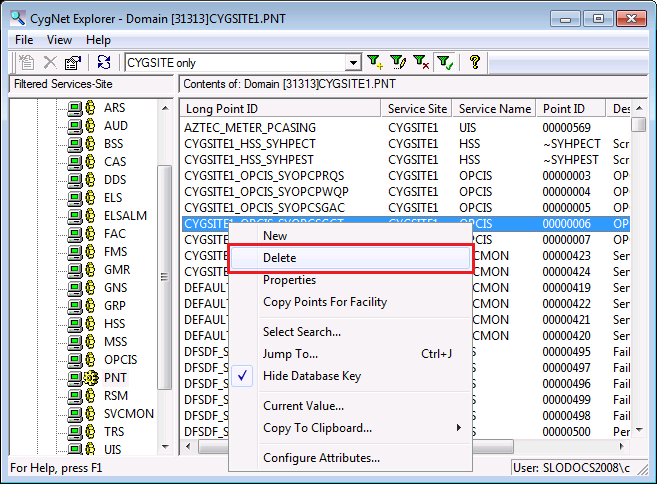
You can use CygNet Explorer to delete a single point at a time from the Point service. Alternatively you can use the Point Configuration Manager utility to delete single or multiple points. See Deleting Points in the Point Configuration Manager Utility section for more information about this option.
When you delete a point from the PNT, it is deleted from its current value service, but not from its Value History Service (VHS). The point(s) must be deleted manually from the VHS.
If you delete and re-add a point that you were reporting to the VHS, the point’s previous history records will be orphaned from the subsequent history records unless the Point ID and Long Point ID are the same as they were for the deleted point. If the system generates the new point’s IDs, the Point ID will be different from the original ID since it is auto-numbered by the system. When the new point is written to the VHS, the VHS will find it has two points with the same Long Point ID, but that each point has a different Point ID. In such cases, it will rename the old point’s Long Point ID to its Point ID.
To Delete a Single Point Using CygNet Explorer
Use CygNet Explorer to delete a single point at a time from the Point service (PNT).
Note: See PNT Editor for more information about pages and properties contained in the point editor.
|
|
|

